Exporting Groups to CSV¶
Some users may find the need to export custom groups.
Individual groups can be exported to CSV using Turbonomic’s UI:
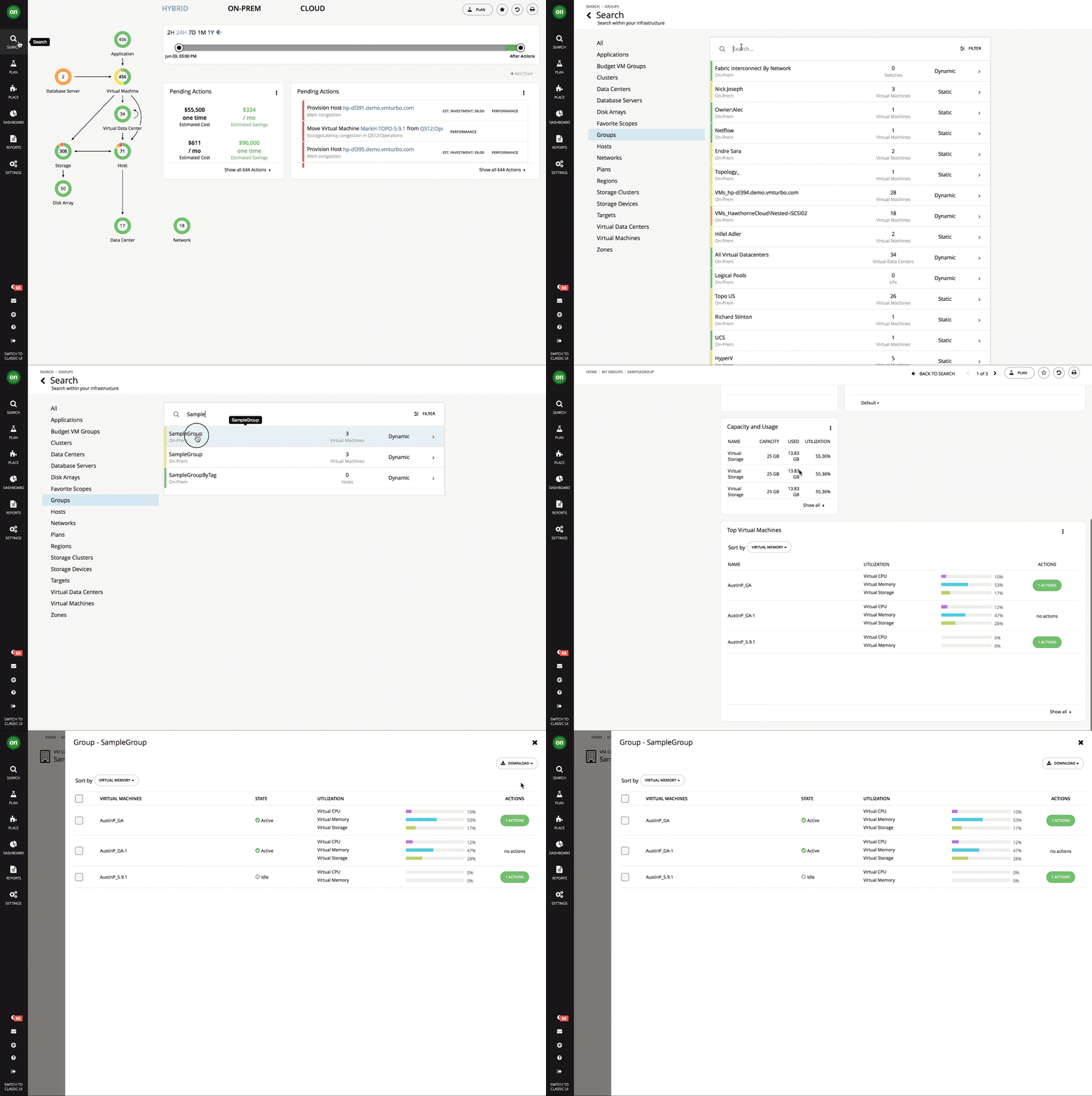
For exporting all groups in a Turbonomic instance, you can use the export_groups_to_csv.py example script.
Installation¶
Place export_groups_to_csv.py into the same directory as csv_to_static_groups.py and vmtconnect.py
Script Usage¶
$ ./export_groups_to_csv.py output.csv -u administrator
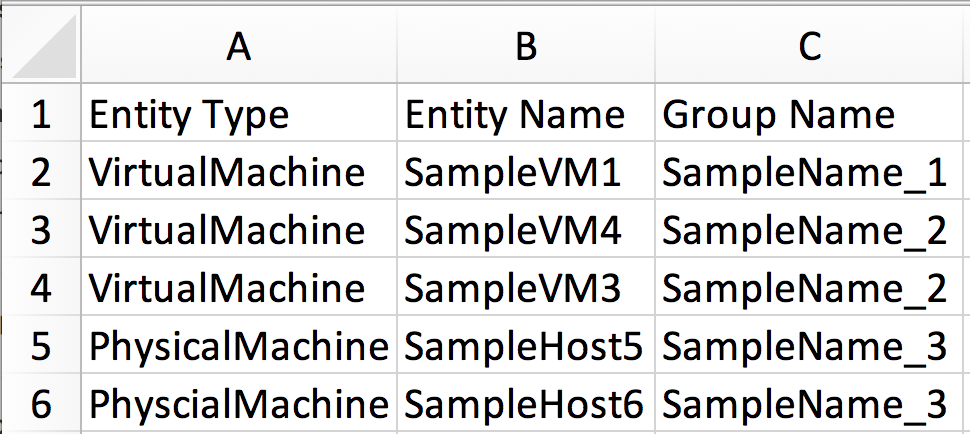
Sample Output¶
Script Options¶
Required Arguments (In positional order)
|
Path to input csv |
Optional arguments. Text between quotations indicates user specified content.
|
Show options. |
|
Also export non-custom Turbonomic groups |
|
Include a column to indicate if a group is static or dynamic |
|
Turbonomic Username, Password will be prompted. |
|
Base64 encoded credentials. Use this to provide all credentials without entering a password each time. |
|
Turbonomic server address. Default=localhost |
|
Suppress insecure HTTPS request warnings |
|
Path to JSON Config file with arguments |
† encoded_creds can be generated with this command (Remember to disable console history so the credentials are not stored):
$ echo -n "username:password" | base64